In the first 6 months of 2011, the online shopping cart abandonment rate was a staggering 35%. According to Forrester, here are the 5 most common reasons for it:

>> Shipping and handling costs were too high – 44%.

>> They were not ready to purchase the product – 41%.

>> They wanted to compare prices on other sites – 27%.

>> The product price was too high – 25%.

>> They wanted to save the product in the cart for later consideration – 24%.

Source: Response, 2/12, p. 47.

Grab Visual Website Optimizer, the world’s easiest A/B split-testing tool, for FREE and easily save thousands on the best online business software and services when you join Heist It!

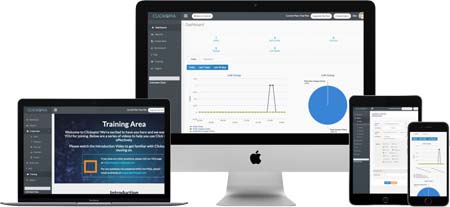
Are you looking for a web analytics service that features heatmapping? You got one at ClickTale. Heatmaps monitor which parts or pages your audience clicks on the most. This could play a major role in determining the placement of your ads or “call to action” area.

ClickTale offers a variety of heatmapping techniques, going as far as presenting data about how far a user scrolls down a website and which pages get the most attention. Clickstream tracking is also a great feature that lets you see the clicking flows of users. This helps marketers determine where users drop off on their way to conversions. This allows for the identification and calibration of weak pages.

ClickTale tracks every mouse move, click and scroll, creating playable videos of customers’ entire browsing sessions as well as powerful visual reports. This is essential for understanding your customers’ online behavior and increasing conversion rates.

Click here to see how ClickTale, trusted by more than 60,000 companies, can benefit your needs.

Everybody knows Ryan Deiss runs A LOT of split-tests, and in the past he’s reported a good deal of these test results to his subscribers and even let some friends (like me) send them out to our lists too…

BUT, he’s held some really good ones back too…

Ryan’s reserved his BEST tests and result just for his $25,000/yr mastermind members, and this (until now) was meant for them…

This test is one that, so far, he’s only shared with them.

Why?

Because it instantly doubled his profits on every offer every time he tried it without fail, that’s why.

…and it’s so simple, you can implement it in less than 60 seconds.

So what is it?

Ryan calls it “compound pricing”, and you’ve probably seen it but had no idea its enormous effect the my bottom line.

Ryan made a private video just for you that shows exactly how the simple yet powerful pricing tactic makes him more money than all the copywriting tweaks, bonus offers, proposal follow-ups he could do a year.

Watch this free video and instantly profit from this jackpot strategy.

Analytics Tool Review: GetClicky

Posted May 24th, 2011. Filed under Testing And Tracking

An analytics tool is a fundamental part of an Internet marketer’s life. Through monitoring visits, traffic sources, bounce rates and conversions, a good analytics tool helps a you get an idea of how well you’re performing and how you should adjust your strategies. It also helps a marketer gauge results when you’re conducting split or multivariate tests.

One popular analytics tool is GetClicky and in this review, I’ll be talking about why it’s a top choice for most Internet marketers. What I like about it:

1) Presentation – GetClicky’s interface includes a dashboard that shows you reports on visits, actions made by visitors, time spent on site and bounce rates. GetClicky presents these figures in a comprehensible manner and if that’s not enough, it allows you to customize which reports you want to see on your dashboard.

2) Real-Time Data – Real-time analytics data is helpful in that it gives you the opportunity to change certain components in your web page or blog post depending on the data you get.

Here’s an example: if you’re in the middle of a launch and you see your landing page is getting attention only from your e-mail blasts, you may want to shift your focus to social networking sites such as Facebook or Twitter. By putting a Facebook ‘Like’ Button or a ‘Tweet This’ button on your landing page, you could easily spread the news about the new product you’re launching. Without GetClicky’s quick result tally, you could miss out on areas of opportunity and just find out about it when it’s too late.

3) Reporting Features – As mentioned earlier, GetClicky shows you reports on visits, actions and bounce rates. What makes this more fascinating is that you’re able to expand on your visits and action reports. For visits, you get to check how many unique visits and new visitors you have. For the Actions reports, you can find information about page views, downloads, outbound links, clicks and video. GetClicky tells you what’s going on, who’s visiting your site and what they do in it too.

GetClicky also shows you where traffic has been coming from. You can trace the visit geographically and you can find out which website linking to you referred the traffic. Lastly, it can show which pages in your site are common entry points for users. This will allow you to determine the factors that make a page a crowd-drawer.

4) Twitter Search – GetClicky can literally tell you how popular you are on Twitter. This is a helpful feature because it can track down search queries, retweets and mentions in Twitter that involves your website. With it, you can easily gauge how well you’re performing in this social media hotspot.

5) Application Programming Interface – GetClicky allows you to integrate your tracking data with other applications you might want to use. This is useful, say, if you want to create a custom widget for your WordPress site that shows data from GetClicky.

6) Visitor Espionage – GetClicky’s super-cool feature called “Spy” allows you to snoop in to whoever’s visiting your site. It tells you what they click most and which pages they visit most of the time. This is an awesome feature if you want to find out what component in your website catches the attention of your visitors. Also, it’s a great tool for finding out where you want to place ads or affiliate links.

7) Mobile Phone Feature – If you’re on the road and you want to be constantly checking on your real-time tracking data, don’t fret. GetClicky has a mobile phone version of its interface and you can access the GetClicky website and your account from there.

The Take

With real-time data and a user-friendly interface, GetClicky gives Internet marketers the opportunity to gauge their website’s success without delay. While it’s true that most of its features are inherent in other analytics tools, it’s the extras like real-time data and Twitter Analytics that make it unique enough to stand as a must-have. Overall, I would recommend it to anyone who’s serious about measuring success and improving their business based on accurate, credible data.

An analytics service provides data on a website’s traffic activity and its sources. Notable analytics services include Google Analytics, GetClicky and Chartbeat. These services give Internet marketers an overview of how their website is performing traffic-wise, which also means giving them some insight as to which variables or pages work well and which ones perform poorly.

That said, here are a few tips to remember when using your Analytics Service:

1) Scrutinize the Data – When inspecting your data, pay attention to the pages that people visit the most. Take note too, of the times when they visit. For example, notice how visits drop during a holiday for business websites, and how visits soar for a website that specializes on a specific holiday. This helps you establish what is normal and unusual flows of traffic to your site depending on the time.

There are reasons why people visit your website more at certain days and times, so try to uncover these reasons by looking at the data your analytics service provides.

2) Transmute the Data – While some analytics services already provide GUIs that can render your analytics data in a simple and manageable format, try to simplify it some more and format it in the way that’s responsive to your goals.

An example would be having an Excel file that shows the number of visitors to a certain site that actually make a purchase instead of just the number of visits. Google Analytics, for instance, has the capability to create custom reports according to the user’s preferences.

3) Do something about the data – Develop a strategy with the kind of data that’s been presented to you. Don’t just base one page’s content and formatting on a page that performs best over all. Find out what factors make that page perform better than all the others and from there generate a strategy that you can apply for all the pages. Factors that attract traffic to a page include a strong ranking on search engines, easy navigation paths from the home page, links coming from external sites, etc. If you can determine what makes a page tick, you have a great chance of being able to replicate that success.

4) Base Success on Goals, not Analytics Reports – Use your goals as a basis to determine whether or not you’ve done well in your campaign and not the data that your analytics service gives you. A lot of Internet marketers think that higher traffic rates indicate success. This is only partly true if you want to monetize the traffic your site gets. More than traffic, it’s conversions and overall ROI that determine the true success level of a website.

Base your success on actual sales, opt-ins or whatever it is that is considered a conversion or a desired action from a user. In the end, this is what got you in the business anyway.

5) Compare data from tests – If you’ve been doing some market testing like every real Internet marketer should, the next step would be to see if your test data is consistent with actual traffic. For instance, if you’ve split-tested two versions of an ad and settled for one of them, see if your traffic and conversions really have improved with its use. If not, identify where the disconnect is and calibrate to get maximum results.

For more information on A/B split testing and other facets of Internet marketing, visit Andy Jenkins Blog

Measure Your Marketing Success

Posted May 18th, 2011. Filed under Testing And Tracking

In the world of marketing, there is always room for improvement. Tracking and measuring your marketing practices will give you a clear picture of what you should and should not continue to do in the future. But without data, you have no idea where to start. Here are a few tools that will enable you to collect and analyze your marketing results.

Google AnalyticsGoogle Analytics

One of the first tools you can leverage is Google Analytics. You’ll be able to track everything from unique visitors to time-on-site to pay-per-click ad success. Plus, you’ll be able to tell which referral sites (including your own landing pages) are getting the most results. This data will help you analyze campaign strategy and budget requirements.

E-Mail Tracking

Another area in which you’ll want to track data is e-mail marketing. How many people open your e-mails? Which subject lines work the best? Which e-mails convert to sales? This should all be tracked using an internal tracking feature that is available in most autoresponder services. A recommended external tracking service is Track Your Links. As you track and tweak your e-mail practices, you’ll see your conversion skyrocket.

An A/B Split test is a marketing experiment that seeks to improve response rates. It involves two kinds of samples: one control sample and one experimental sample. Basically, the experiment sample is the guinea pig to perform different tests on like different subject lines or different copies of text.

The response rates of the experimental sample are going to be compared to that of the control group, in lieu of the changes made and from there a conclusion can be drawn on which sample worked better.

That said, here are a few things to remember with A/B Split testing:

1) One test does not establish a fact – One test result is not conclusive proof. Perform at least four more tests to verify. Once you’ve had an undisputed winner, generate another sample to compare it with so you can draw out which variants worked best.

2) Small changes mean a big difference – One good example for this is testing with a “’free’ downloadable” subject line and a “downloadable ‘free’” subject line. While there are minor differences between these two subject lines in terms of the order of its words, there can be a big difference with regards to their open and response rates, depending on the preference of the respondents/subscribers.

3) Perform one test at a time – To get an idea of what works best for your market, do tests one at a time. You can’t be too sure what works with multiple variables and multiple results all at the same time. Keep yourself focused in one test until you’ve drawn a reasonable conclusion.

4) Give your test enough time – I’ve mentioned this in a previous blog post: Tests take time to be conclusive. Don’t make conclusions after a few hours of performing that test. If you’re testing on behalf of your email marketing campaign, for example, give your subscribers enough time to open or respond to your emails.

5) Focus on Statistical data – Statistical data is an important part of your test given that they give you the measurement you need to judge how well your sample performed. Regardless whether it’s a 1% difference or more, you need to consider how big an impact it left in your campaign and make decisions based off hard numbers that reflect facts.

6) Test regularly – By testing, you think up of new ways to make things work better for both you and your respondents. It’s important to keep testing because with it, you can develop a good habit of finding out the best ways to engage your audience.

For more information on A/B split testing and other facets of Internet marketing, visit Andy Jenkins Blog

An analytics tool provides Internet marketers with a collection of analysis and reports of data gathered concerning the number of visits a website receives over a given period of time.

However, for an analytics tool to be more effective, you’ll need more than just a numeric figure of unique visits or clicks; you’ll need to know what they mean for your campaign.

That said consider the following when searching for a reliable analytics tool.

1) Data Presentation – Your analytics tool should present data in an easy-to-understand format where each field shows a corresponding value. Most analytics tools have dashboards that present the most fundamental parts of your campaign in the form of reports or overviews. For example, Google Analytics has a dashboard that feature several overviews on different aspects of your campaign such as traffic source, page views and bounce rates.

2) Real-Time results – While real-time showing of visits, clicks and other data may seem no different than ‘unreal’-time showing of data, it can actually play a big part in making your site’s content better. In fact, for high-traffic generating sites, writers and editors want to get a hold of real-time data because they want to optimize content.

The ability to see results as they happen is indispensable because you can adapt to any change with regards to traffic source. Real time results give you an idea of what type of content triggers your audience to immediately visit your site or answer a call-to-action. A popular example of an analytics tool that offers real-time results is GetClicky.

3) Click Analytics and Heatmapping – This feature, particularly heat mapping, monitors which parts or pages your audience clicks on the most. This could play a major role in determining the placement of your ads.

If your site hosts a number of landing pages, it can help in terms of where to place the links to those pages. Click Tale offers a variety of heatmapping techniques, going as far as presenting data about how far a user scrolls down a website and which pages get the most attention. Clickstream tracking is also a great feature that lets you see the clicking flows of users. This helps marketers determine where users drop off on their way to conversions. This allows for the identification and calibration of weak pages.

4) IP Geolocation capabilities – A good analytics service does not only tell you where the clicks are coming from in a ‘digital’ perspective, it also lets you know where in the world they’re coming from. Placing emphasis on an audience’s “Geolocation” can tell you a lot about what type of behaviour responds to a certain kind of content. This allows you to optimize and adjust the way you make your content, depending on the Geolocation data your analytics tool presents.

5) Segmentation Options – Being able to segment your data is very important because it enables you to pattern target figures according to your goals. With it, you can separate a section of traffic that produces good results from another section of traffic that may otherwise need more effort.

Google Analytics is an excellent example of being able to segment your data in an effective way. With the ability to create custom reports and report filters, you can see the numbers you actually need to see in terms of your campaign’s growth, rather than the other data that won’t prove useful until a later time.

For more on web analytics and Internet marketing, visit Andy Jenkins Blog

Your website is leaking…

Posted April 25th, 2011. Filed under Testing And Tracking

It is a fact that your website could be seriously leaking profits and you don’t even know it.

Anywhere from 20 to 50% of your profits could be either flushed down the toilet or simply being left on the table.

I have just discovered something that has already helped me find the leaks in my business and I am sure it will do the same for you.

You seriously won’t believe how easy it is to find new profit centers, clean up your marketing, and increase your profits.

Click here to see what I mean.

Be sure to check it out right now you will be glad that you did and you can thank me later.


Google Analytics integration offered by Wordpress Google Analytics Plugin